.svg)
|
Release # |
UI: R25.11 |
|---|---|
|
Date |
What's New in EnforceDNS!
Account-Aware Support Messaging
The Help menu in EnforceDNS now provides tailored support guidance based on your account’s partner and organization structure. Users will either see a “Contact Support” (routes to HYAS) option or a clear message directing them to the correct support channel.
Benefits
-
Faster Resolution: Users are directed to the right support team immediately
-
Fewer Misrouted Requests: Prevents confusion by aligning messaging with account structure
-
Partner-Aware Messaging: Ensures MSSP and channel relationships are reflected in the user experience
Download Option for Troubleshooting Logs
A new Download button is now available in the Troubleshoot tab under EnforceDNS Agent in the EnforceDNS web platform. This allows users to export the existing troubleshooting logs as a .txt file.
Benefits
-
Quick Export: Download logs instantly in a ready-to-share format
-
Simplified Support: Easily attach logs to support tickets or share with internal teams
-
No Manual Copying: Avoid copying log content from the UI—just click and download
AI & ML Content Category Support
A new AI & ML content category is now available across EnforceDNS. Clients can block or allow traffic to domains classified under this category and monitor related activity in logs and visualizations.
Benefits
-
Granular Policy Control: Manage AI/ML access separately from broader web categories
-
Flexible Rule Support: Apply policy rules specifically targeting AI & ML traffic
-
Traffic Visibility: View AI & ML domain activity in DNS logs and dashboards

Refined Menus
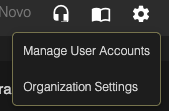
The Support, Documentation, Settings, and Profile picklists have been restyled according to UI3 design standards, along with several associated modals. These changes are visual only—no functional changes were made.
Benefits
-
Unified Experience: Picklists and popups now match the rest of the UI3 interface.
-
Refined Styling: Typography, spacing, and layouts have been cleaned up for clarity.
-
Consistent Design Language: Reinforces the perception of product quality and visual polish.
Agent v2.2.17
A new setting for the EnforceDNS Agent on Windows allows DNS traffic over VPN connections to bypass agent proxying. When enabled, VPN-routed DNS requests are resolved using the VPN’s DNS configuration. Only non-VPN traffic (e.g. from WiFi or Ethernet) is handled by EnforceDNS’s resolvers.
Benefits:
-
Prevents VPN Conflicts: Eliminates potential DNS interference between EnforceDNS and VPN clients on Windows.
-
Maintains Coverage: Ensures DNS traffic from regular network interfaces is still protected and monitored.
